 Assetto Corsa Rally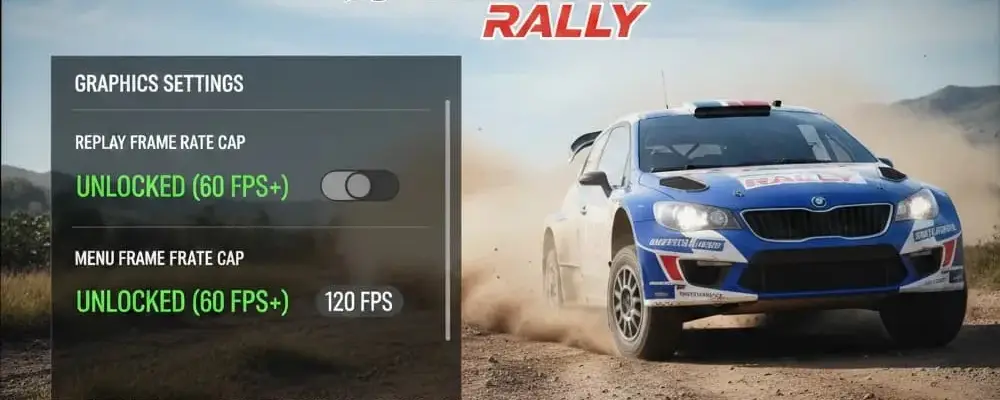
Files
Main File - Version v1.0 Latest
Jun 6, 2026 4 MB
Changelog:
Initial release
Description
Replay and Menu 60 FPS Cap Unlock
A mod for Assetto Corsa Rally that removes the 60 FPS limit in replays and menus
1. Create or Download the Engine.ini File
Important note: Assetto Corsa Rally doesn’t include an Engine.ini file by default. You’ll need to create it manually or download it from here: https://mega.nz/file/OVBiSaqR#44ZjrcAWni_GPU6mStkvh2OVDoNyaUi4MNe55F5ORGk
Key Feature: Unlocked FPS in Menus & Replays
This Engine.ini mod by ilborga70 completely removes the hardcoded 60 FPS restriction that developers imposed on menus and replays. This lets your game use your full framerate potential constantly, ensuring that UI navigation and replay viewing are just as smooth and responsive as actual gameplay.
This configuration maximizes FPS using DLSS, reduces input lag with NVIDIA Reflex, and sharpens the image through custom .ini changes.
Optimization Tutorial: DLSS 4.5 Performance & FPS Boost
Step 1: In-Game Display Settings
Configure the basic display options in the game menu first to let external tools manage framerate and synchronization.
Display Mode: Borderless
VSync: OFF (Critical: disable this to reduce input lag)
Frame Limiter: OFF (We’ll limit frames using external software later)
Step 2: In-Game Graphics & Upscaling
Go to the Graphics tab to set up your upscaling method.
Graphic Preset: Medium (Recommended starting point)
Motion Blur: OFF (Improves clarity)
Anti-aliasing and upscaling method: DLSS
Resolution Scale: 54% (Equals DLSS Performance preset. Setting the slider to 54% creates the specific downscaling ratio for this config)
Frame Generation: OFF
Overall Sharpness: 50%
DLSS Sharpness: 0% (Sharpness will be handled by the game engine or driver)
Step 3: Engine.ini Modification (Advanced)
Manually edit the game’s configuration file to add custom variable settings.
Find the file: Navigate to your game’s config folder (typically:
C:\Users\[YourUsername]\AppData\Local\acr\Saved\Config\WindowsNoEditor\or similar, depending on your installation)Open:
Engine.iniusing Notepad or Notepad++Add the Code: Paste these lines under the
[SystemSettings]section (create this section at the bottom if it doesn’t exist):
text
[SystemSettings]

; --- VSYNC, FPS E UPSCALING (DLSS/FSR/TSR) ---

r.ngx.dlss.enable=1

r.Streamline.InitializePlugin=1

r.Streamline.DLSSG.Enable=1

t.Streamline.Reflex.Enable=1

r.NGX.DLSS.DilateMotionVectors=0

r.Streamline.DilateMotionVectors=0

r.FidelityFX.FSR2.UseNativeDX12=1

r.FidelityFX.FSR3.UseNativeDX12=1

r.FidelityFX.FSR3.UseRHI=0

r.FidelityFX.FI.OverrideSwapChainDX12=1

r.AntiAliasingMethod=4

r.TemporalAA.Upscaler=1

t.MaxFPS=0

r.VSync=0
Lock the File: Save and close the file. Right-click
Engine.ini, select Properties, and enable Read-only. This prevents the game from overwriting your custom settings.
Step 4: RivaTuner Statistics Server (RTSS)
Use RTSS to manage frame pacing and input latency.
Framerate limit: Set to 90 (or your monitor’s optimal point)
Setup (Compatibility Properties):
Click the “Setup” button
Under “Compatibility properties,” find Enable framerate limiter
Set the dropdown to NVIDIA Reflex
Ensure Enable passive waiting is checked
Injection Properties:
Check Inject NVIDIA Reflex latency markers
Set Inject NVIDIA Reflex sleep call to auto
Step 5: NVIDIA Profile Inspector / Global Settings
Finally, adjust driver-level GPU settings (GeForce RTX 4080 in this example, but works with other RTX cards).
Low Latency Mode: Ultra
DLSS Override – Model Presets: Custom – FG: Latest, SR: Preset M, RR: Latest
Note: Preset M reduces ghosting and improves image stabilityResizable BAR (rBAR): Enabled (options
0x00000001– typical for RDR2/Returnal profiles, applied here for performance)Shadercache: Unlimited
Summary of Benefits:
VSync OFF + Reflex + RTSS: Delivers the lowest possible input latency and smooth frame pacing
DLSS 54%: Significantly boosts FPS by rendering at lower resolution with AI upscaling, while “Preset M” keeps the image stable
Engine.ini: Forces specific DirectX 12 and upscaling behaviors that the in-game menu doesn’t expose
Rate This Mod
—
0 ratings
★★★★★
Login to rate this mod.

CodeSpectre
Trusted Modder
34 mods · 803 total downloads
Related Mods
Assetto Corsa Rally  Assetto Corsa Rally
  Assetto Corsa Rally
  Assetto Corsa Rally