Files
Main File - Version v2.0 Latest
Screenshots
Description
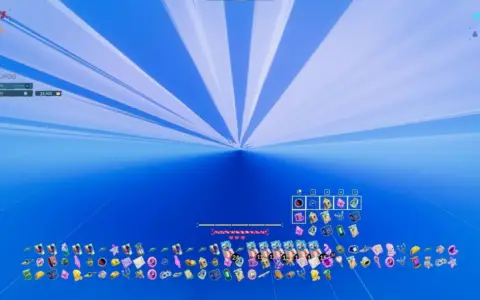
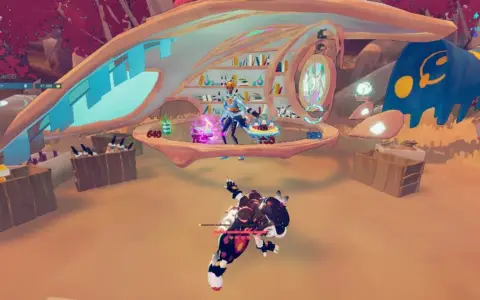
The Endless Storefront mod changes Endless Mode in Haste so that, instead of the normal reward screen, it uses the Campaign Shop and Rest Area.
With this mod, you can keep buying items, and in both solo and co-op you can also trade, until your Shards are gone, rather than choosing just one reward and stopping there. The Shop shows up roughly every 3 levels, while the Rest Area appears about every 4 levels.
It also makes rerolling cost 0 Shards. If the game still shows a shard cost in the text, just ignore it, because that text could not be changed.
Installing
Because the developers updated the game, the mod no longer appears to work with the newest version, so a workaround is needed.
This workaround is only for Windows. If you are using another operating system, you will need to search for your own method to downpatch the game.
To use Endless Storefront, the game must be downgraded to “The Real 1.7.e” version.
-
On Windows, press Win + R, then type
steam://open/consolein the box. -
In Steam, open the new Console tab.
-
At the bottom, enter:
download_depot 1796470 1796471 8507599465094657388 -
This downloads the correct version of Haste, but not into the usual game folder.
-
The files will be placed in:
<steam download location>/steamapps/content/app_1796470
Likely path:C:/Program Files (x86)/Steam/steamapps/content/app_1796470 -
Open the Haste installation folder:
<PC Drive>\SteamLibrary\steamapps\common\Haste -
Delete all files and folders inside the Haste folder.
-
Copy everything from the
app_1796470folder into the now-empty Haste folder. -
Copy the downloaded Endless Storefront
.zipfile into:<PC Drive>\SteamLibrary\steamapps\common\Haste\Haste_Data\Managed -
In the Managed folder, find
Assembly-CSharp.dll -
Rename it to
Assembly-CSharp.dll.bak -
Extract the Endless Storefront
.zipfile into the Managed folder.
Uninstalling
To remove the mod, rename the original file back from .dll.bak to .dll, then delete the modded file.
Another way to remove it is by updating the game again or by verifying the integrity of the game files.
Rate This Mod
Login to rate this mod.
