Files
Main File - Version v1.0 Latest
Description
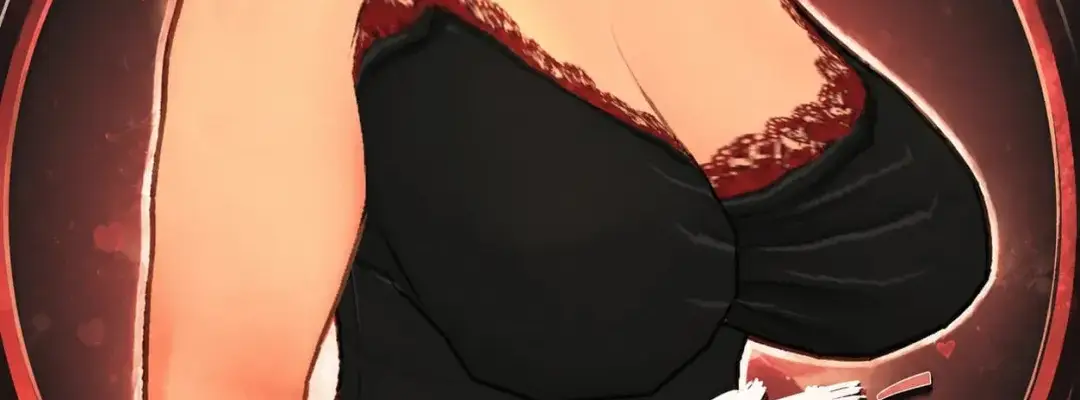
Curves XL: Breast Physics Pack (BETA) for Paralives*
This mod adds runtime breast physics support to adult characters in Paralives, including both player-created characters and NPCs. The physics respond naturally to walking, jogging, running, turning, sudden movements, and animation-driven actions. You can adjust intensity, damping, stiffness, and swing limits through the config file for customized movement.
Important Installation Note:
Manual installation is required. While you can download this pack via the Steam Workshop, Paralives currently cannot run DLL or runtime code directly from Workshop files.
Key Features
-
Spring-based breast physics for adult characters
-
Works on both player characters and NPCs
-
Reacts to walking, running, turns, and acceleration
-
Fully configurable intensity, damping, stiffness, and maximum swing angle
-
Automatically backs up the original
Paralives.dllbefore patching -
Includes an uninstaller for easy removal
Available Files
1. CurvesXL BreastPhysics BepInEx CompanionMod V0.1.1 (Recommended)
This is the preferred version. It uses BepInEx + Harmony and does not patch Paralives.dll on disk. It avoids bat files, PowerShell scripts, and executable installers. It also includes a .mod companion folder so the mod appears in My Mods and can be enabled/disabled from the in-game mod list.
Requirements:
-
BepInEx 5 for Paralives
Install With Mod Manager:
-
Install BepInEx 5 first
-
Download this file using your mod manager
-
Deploy/install the mod
-
Launch Paralives
-
Open My Mods and confirm that Curves XL: Breast Physics is enabled
Manual Install:
-
Install BepInEx 5 first
-
Download the file manually
-
Extract the archive into your main Paralives game folder (the same folder containing
Paralives.exe) -
The final path should look like this:
Paralives\BepInEx\plugins\CurvesXLBreastPhysics\CurvesXLBreastPhysics.dll -
Launch Paralives
-
If the mod does not appear in My Mods immediately, restart the game once
Note: The BepInEx plugin can automatically create the companion .mod entry if it is missing. This is only used so Paralives can display the mod in My Mods and allow toggling.
2. BreastPhysics NoScripts for Install DotNet8 V0.1.1 (Alternative Legacy Version)
Use this version only if the BepInEx version does not work for you. It does not include bat files, PowerShell scripts, or an EXE installer. Instead, it uses a .NET 8 command-line patcher that modifies the local game DLL on disk.
Requirements:
-
Microsoft .NET 8 Runtime
Manual Install:
-
Download the file manually
-
Extract it to any location (for example, your Desktop)
-
Open the extracted folder
-
Click the address bar in File Explorer, type
cmd, and press Enter -
In the command window, run:
dotnet CurvesXLPatcher.dll -
Follow the prompts shown in the command window
-
Launch Paralives
If Windows says “dotnet is not recognized,” install the Microsoft .NET 8 Runtime and try again.
Configuration
The config file is located here:Paralives\BepInEx\plugins\CurvesXLBreastPhysicsRuntime\CurvesXLPhysicsRuntime.cfg
Useful settings:
Enabled=true

Intensity=2.8

GaitIntensity=1.35

AccelerationIntensity=1.25

AnimationIntensity=3.8

Stiffness=120

Damping=18

MaxSwingDegrees=52-
Increase Intensity, GaitIntensity, or AnimationIntensity for stronger movement
-
Increase Damping for tighter movement
-
Lower Damping for more wobble
If Your Mod Manager Cannot Find the Install Target
If Vortex or another mod manager says the deployment target is unknown, install manually instead.
Manual Install Target:
Open your Paralives install folder (the folder containing Paralives.exe).
Example Steam path:SteamLibrary\steamapps\common\Paralives
Extract the archive directly into that folder.
After installation, verify this file exists:Paralives\BepInEx\plugins\CurvesXLBreastPhysics\CurvesXLBreastPhysics.dll
If the file is in the wrong location, the mod will not load.
Uninstall Instructions
For the BepInEx Version:
Delete:Paralives\BepInEx\plugins\CurvesXLBreastPhysics
Optionally, also delete:Paralives\BepInEx\plugins\CurvesXLBreastPhysicsRuntime
For the DotNet8 Patcher Version:
Run the patcher again and choose restore/uninstall if available. If anything goes wrong, verify game files through Steam.
Rate This Mod
Login to rate this mod.
