 Soulmask

Files
Main File - Version v0.4 Latest
Apr 17, 2026
2 MB
Changelog:
Initial release
Screenshots
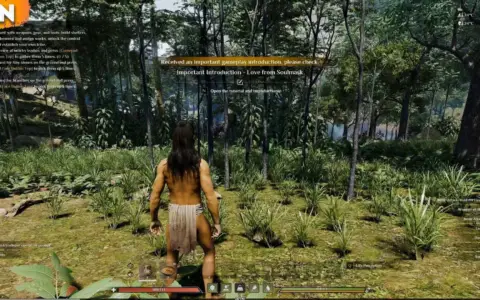

Description
No-HUD-No-Effects – Toggle Fog, Bloom, and More
Uses ShaderToggler to let you turn HUD elements and visual effects on or off during gameplay.
Installation
Extract the .zip file and copy all contents to your game installation directory.
Togglable Effects [Hotkeys]
-
HUD: END key
-
Reticle: Numpad /
-
Attack Trails: Numpad *
-
Arrow Trails: Numpad –
-
Fog (Reduced): Numpad +
-
Fog (Off): Backspace
-
Bloom (fixes foliage flicker): Page Up
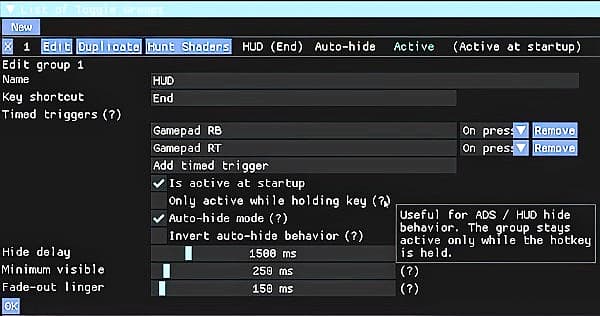
Customizing Hotkeys
-
Open the ReShade GUI by pressing Home.
-
Go to the Add-ons tab.
-
Open the toggle group listed there.
-
Click Edit to change key bindings.
Rate This Mod
4
1 rating
★★★★★
Login to rate this mod.

VortexModder
Trusted Modder
47 mods · 1.3K total downloads
Related Mods
Soulmask
 Soulmask
 Soulmask
 Soulmask