 Hytale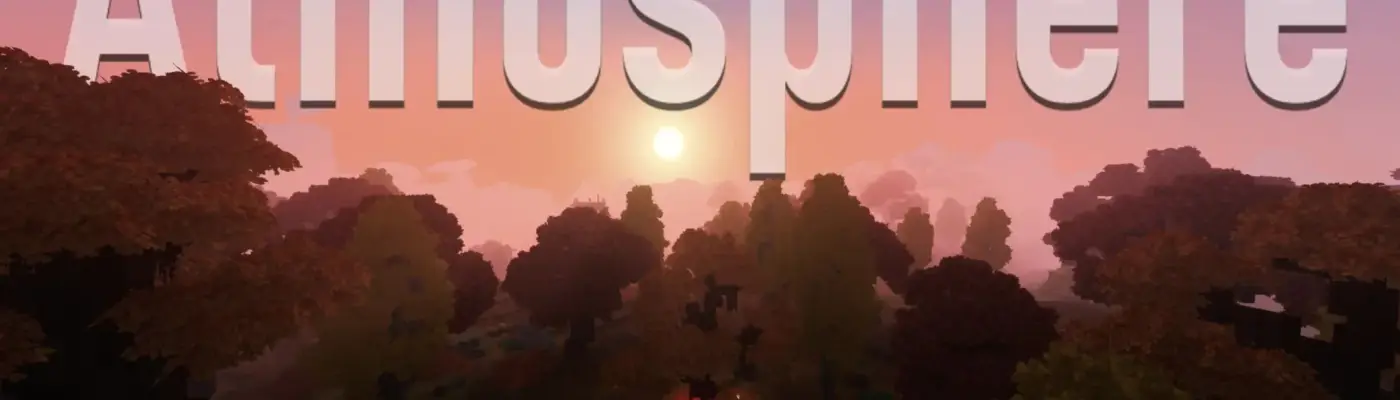
Files
Main File - Version v1.0 Latest
Jul 8, 2026 2 KB
Changelog:
Initial release
Description
Atmosphere ReShade Preset
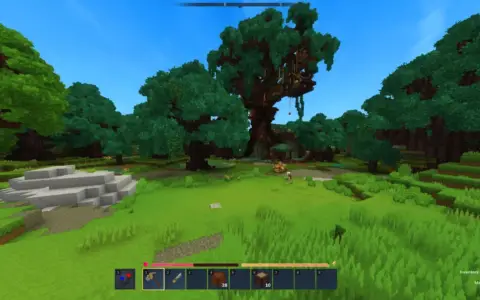
If you find Hytale’s default aesthetics a bit washed out, this custom ReShade preset enhances the game’s visuals while firmly preserving its original vanilla charm.
Unlike other presets, this configuration avoids overwhelming screen bloom or drastic color overhauls. It targets a clean, enhanced look with deeper, more immersive nights.
Key Highlights
Vanilla+ Aesthetic: Improves clarity and vibrance without ruining the original art style.
Immersive Nights: Darker night cycles provide a more atmospheric survival experience.
Minimal UI Impact: The user interface is only minutely affected and remains fully legible.
Performance: Lightweight design with zero noticeable FPS drops on mid-to-high-end systems.
Installation Guide
Download ReShade: Install the latest version of ReShade. When prompted, select
HytaleClient.exeand choose the OpenGL rendering API.Add the Preset: Download this preset file (
Atmosphere.ini) and place it in your game directory.Activate In-Game: Launch Hytale, press the
Homekey to open the ReShade overlay, and selectAtmosphere.inifrom the preset dropdown menu.Optimize: Ensure “Performance Mode” is checked in the bottom corner of the ReShade menu.
💬 Creator’s Note: As this is my first preset, feedback on both visuals and lower-end system performance is highly appreciated! Please do not modify or re-upload this preset without reaching out for permission first.
Rate This Mod
—
0 ratings
★★★★★
Login to rate this mod.

BugHunterX
Trusted Modder
53 mods · 1.7K total downloads
Related Mods
Hytale  Hytale
  Hytale
  Hytale