 Starsand Island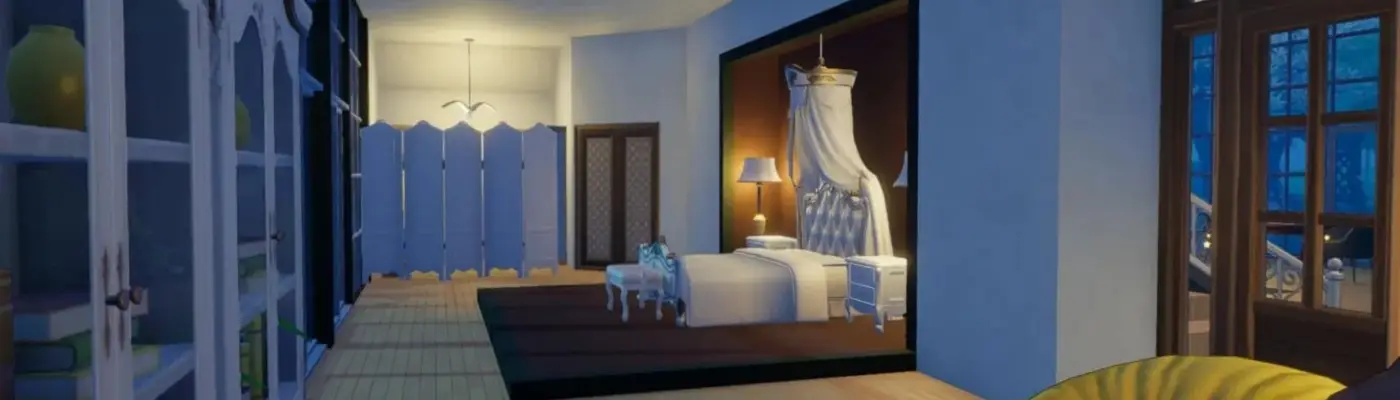
Files
Main File - Version v1.0 Latest
Apr 16, 2026 1,015 KB
Changelog:
Initial release
Screenshots
Description
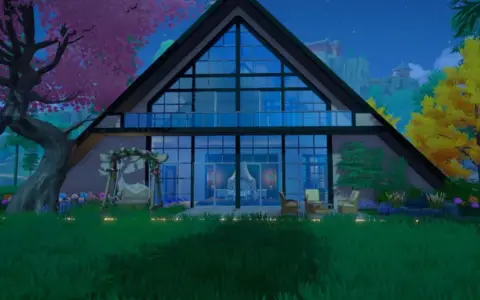
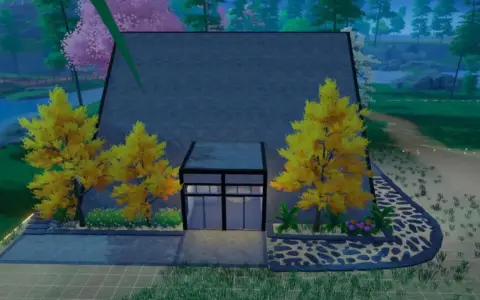
A‑Frame House Layout Mod for Starsand Island
This is a homestead layout that lets you build an A‑frame house by Cloudrest Lake.
Bring your dream lakeside home to life with this modern‑styled A‑frame blueprint. The layout includes a spacious master bedroom with its own bathroom and walk‑in closet, a kitchen island setup equipped with the latest tech available in Starsand, a warm dining area warmed by a fireplace, plus a living room and a loft that are all fully furnished. You can also use the extra space for a second bedroom and an attic you can customize to match your taste. This layout gives you the perfect starting point for the house you’ve always imagined.
What is a layout and how do you use it?
A layout is a .zip file that stores all the data for a building or structure, so you can save it, export it, share it, or reload it later if you want to rebuild it on another plot.
To use a layout, enter the Build Mode in the game, go to the Layouts tab, and pick the one you want to place—as long as you’ve imported it or selected an in‑game layout. You don’t need to own every piece of furniture shown in the layout, but you must have all the required building materials, or the game won’t let you construct it.
Layouts are limited to the zones where the original building was placed. For example, a structure designed for Hopeland cannot be built using a layout on lake or beach plots, and the reverse also applies. Loading a new layout will completely overwrite and remove everything currently on your land, so be sure to double‑check before you confirm the Build command.
How to install and import layouts
Download the layout file you want to use, but leave the contents inside the .zip archive—do not unpack or extract it.
Find the Blueprints folder on your PC, usually located at:
Users\YourName\AppData\LocalLow\SeedLab\StarsandIsland\steam\76561198289379881\Resource\BlueprintCopy the .zip file and paste it directly into the Blueprints folder. That’s all you need to do.
Start the game, open Build Mode, go to Layouts, and your imported layout should now appear under the Homestead category if everything was set up correctly.
Rate This Mod
—
0 ratings
★★★★★
Login to rate this mod.

GlitchMancer
Trusted Modder
48 mods · 1.1K total downloads
Related Mods
Starsand Island  Starsand Island
  Starsand Island
  Starsand Island