 Starsand Island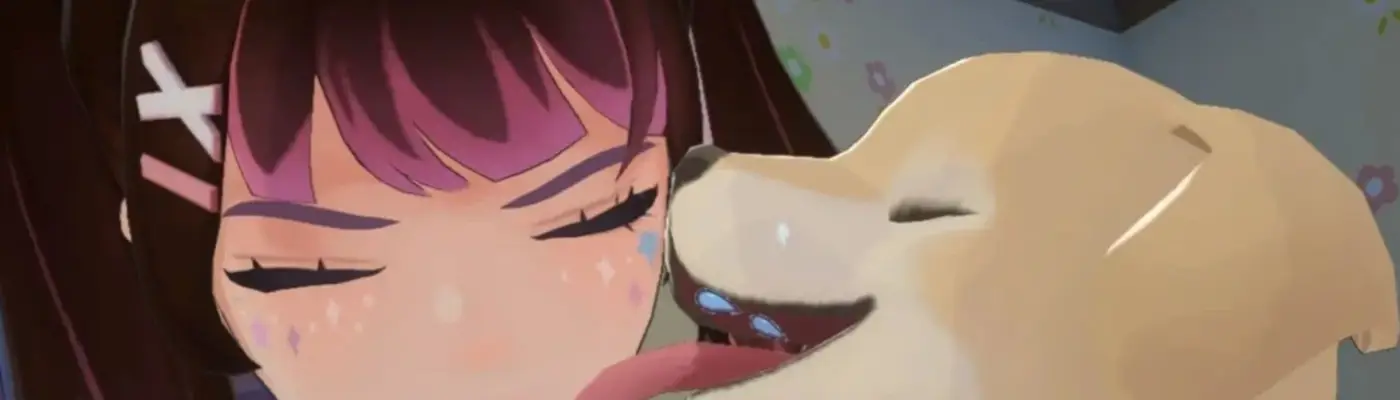
Files
Main File - Version v1.0.1 Latest
Apr 16, 2026 38 MB
Changelog:
Initial release
Screenshots
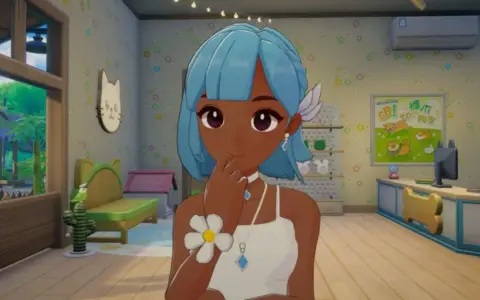
Description
Kyle’s Headcanons – Starsand Island Character Mod
Imagine my disappointment when I booted up the game and everyone’s outfits and colors looked almost identical. So I decided to fix that and cooked up some custom mods of my own!
Characters I’ve tweaked:
Stella: I gave her a softer, pastel‑style color palette and made her overall look a bit more pink‑leaning. I also adjusted her fringe to match the new vibe.
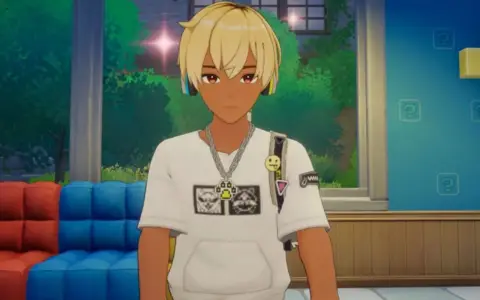
Loren: I swapped his eye color to red, changed his skin tone, added bleach‑dyed roots to his hair, and threw in painted nails for extra flair.
Momo: I gave her purple eyes and tweaked her skin tone so she matches her brother a bit more.
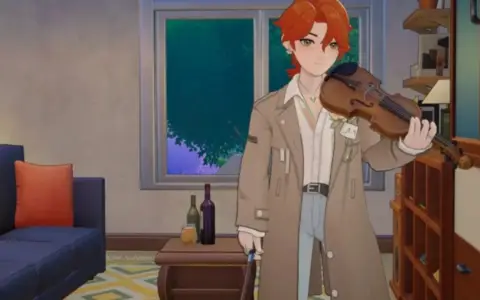
Sylvain: I basically went full canon and slapped his classic Fire Emblem color scheme onto him because I adore that design.
Lunelle: I adjusted her skin tone slightly and switched her eyes to brown.
Serena: I changed both her skin tone and eye color to give her a fresher look.
v1.01 update:
Graminova: I gave him green hair along with a new skin and eye tone to match.
I’m planning to add more character recolors and tweaks down the line, so keep an eye out if you’re into this kind of style. If you run into any issues, feel free to let me know. One thing I’m aware of is some slight posterization in the textures, which so far seems baked into the game’s rendering—I haven’t figured out a clean workaround yet.
The file structure makes it look like you can pick which mods to load individually, but I’d recommend against that. A single bundle often includes texture data for other characters, so mixing and matching might accidentally break the mod you actually want. I’m working on splitting them up properly, but I’ll hold off until I finish recoloring all the characters I originally planned to change.
How to install:
If you already use the “Starsand Island Texture / Model Editing with Tools” mod:
Simply unzip this pack into theModsPackfolder inside that mod’s directory (it should look like this):<a href=”https://imgbb.com/”><img src=”https://i.ibb.co/S7nZ35rs/Kyle-s-Headcanons-Instructions1.jpg” alt=”Kyle s Headcanons Instructions1″ border=”0″></a>
If you do NOT have that mod installed:
You can manually replace the original game files with the ones from this download. The usual path is:C:\Program Files (x86)\Steam\steamapps\common\StarsandIsland\StarsandIsland_Data\StreamingAssets\Bundles\Windows
(this may vary slightly depending on your install drive).
Copy the included local folders into the matching folders there and overwrite the existing files. You might need to do this for each relevant folder.<a href=”https://imgbb.com/”><img src=”https://i.ibb.co/rKKXx4d4/Kyle-s-Headcanons-Instructions2.jpg” alt=”Kyle s Headcanons Instructions2″ border=”0″></a>
Rate This Mod
—
0 ratings
★★★★★
Login to rate this mod.

GlitchMancer
Trusted Modder
48 mods · 1.1K total downloads
Related Mods
Starsand Island  Starsand Island
  Starsand Island
  Starsand Island