 Subnautica 2
Files
Main File - Version v1.0 Latest
Jun 29, 2026
69 MB
Changelog:
Initial release
Description
Simple Minimap
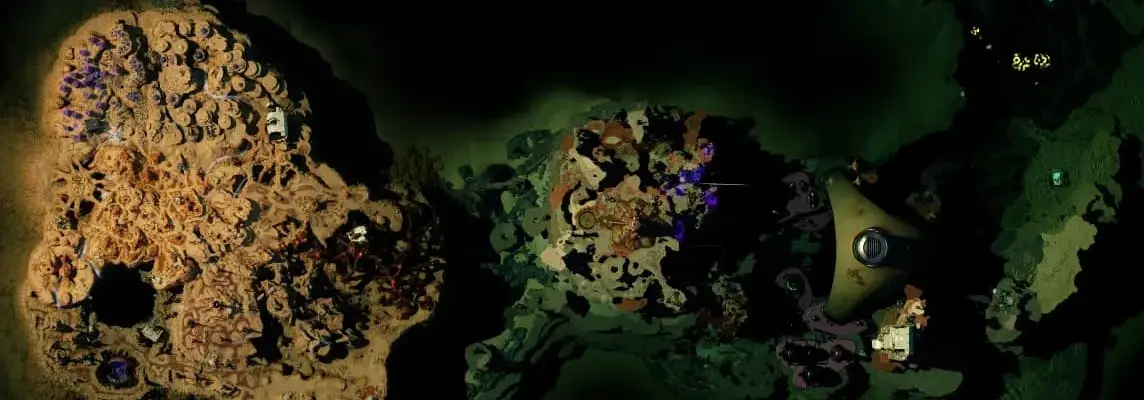
Simple Minimap adds a lightweight in-game minimap to Subnautica 2 with a player marker, heading indicator, and an optional larger map view. The minimap is drawn directly on the HUD using UE4SS Lua scripting, and it appears in the top-right corner by default with the option to toggle it on or off at any time. A larger centered map view is also included for easier navigation.
WHITE MAP BUG WITH VORTEX INSTALL IS NOW FIXED.
FOG OF WAR IS NOW AVAILABLE. You can disable it by editing the configuration file like this:
lua
FogOfWar = {

    Enabled = false,

    GridWidth = 57,

    GridHeight = 24,

    RevealRadius = 2,

    SaveFile = "fog_state.dat",

    FogAlpha = 0.95,

},
Feel free to help on GitHub ;~;
Features
-
Adds a simple minimap overlay to the HUD.
-
Shows the player’s position on the map.
-
Shows the player’s heading and direction.
-
Includes a toggleable large map view.
-
Fully configurable size, position, opacity, keybinds, update interval, marker size, and marker colors.
-
Supports MapGenie-based projection and calibration.
-
Lightweight Lua mod built with UE4SS.
Controls
Default keybinds:
-
M — Open or close the large map.
-
H — Hide or show the minimap.
These can be changed in config.lua. The mod registers the configured keys from config.lua, where OpenMapKey is set to M and HideMapKey is set to H.
Installation
-
Download and install UE4SS – Subnautica 2 from Modsportal.
-
Go to your Subnautica 2 install folder.
-
Open the UE4SS mods folder:
-
Subnautica2/Binaries/Win64/ue4ss/Mods/ -
For Game Pass / WinGDK versions, use:
-
Subnautica2/Binaries/WinGDK/ue4ss/Mods/
-
-
-
Create a folder named
SubnauticaMapMod. -
Place the mod files inside:
-
SubnauticaMapMod/ -
└── all lua
-
Configuration
See config.lua.
Vortex bug
For reasons unknown, Vortex ignores anything that is not a .lua file, so .png files may be renamed to .png.lua.
Troubleshooting
If the minimap does not appear:
-
Make sure UE4SS is installed correctly.
-
Make sure
main.luaandconfig.luaare directly inside theSubnauticaMapModfolder. -
If you notice FPS issues, increase the
UpdateIntervalMsvalue in the config file.
Rate This Mod
—
0 ratings
★★★★★
Login to rate this mod.

ScriptSavvy
Trusted Modder
52 mods · 774 total downloads
Related Mods
Subnautica 2
 Subnautica 2
 Subnautica 2
 Subnautica 2