 Half Sword
Files
Main File - Version v1.0 Latest
Jun 24, 2026
18 MB
Changelog:
Initial release
Description
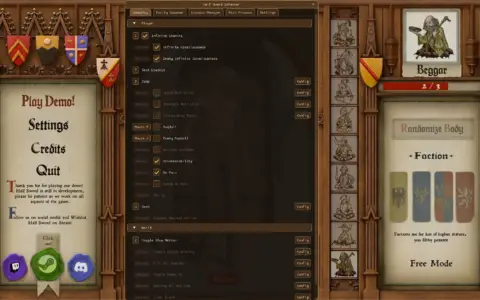
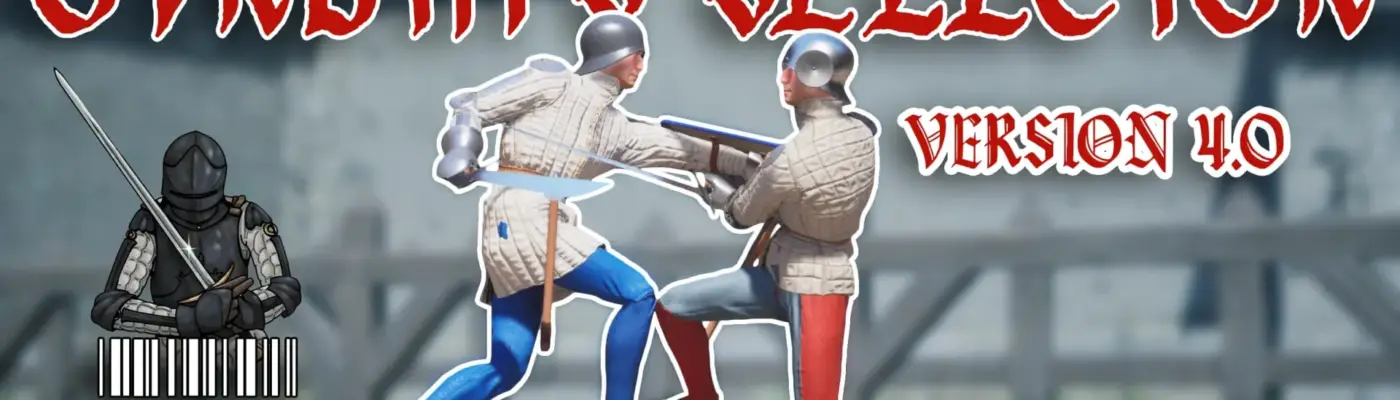
OVRDTH Selector 4.5.0
A tool designed to save and load Half Sword presets.
This mod works as intended, and the instructions below explain everything you need to know. It does not work in the gauntlet mode, since that would defeat the purpose.
It has been updated for Half Sword version 0.5. If you want to keep your custom loadouts from version 4.4.0, do not delete the /OVRDTH'S SELECTION directory. Just install the new version in the same folder.
To clarify, this tool only lets you save loadouts made in Half Sword and load them later. It is meant to save time by reducing the need to click through icons to find the weapon or outfit you want. It does not add any customization features of its own.
Some pre-made loadouts have been included. If there are any specific loadouts you’d like to see added, they may be included in future updates.
Version 4.5.0
Installation
Do not install or run the program as administrator. That is no longer necessary.
-
Extract the ZIP file.
-
Run the installer
.EXE. -
Follow the on-screen instructions.
The default install location is now your Documents folder.
How to Use
The program is organized like a normal folder structure. Folders that contain multiple loadouts or other folders are displayed in bold so they are easy to distinguish from individual loadouts.
Some default folders are included:
-
OVRDTH’S LOADOUTS: Custom loadouts included by the creator.
-
TIERS: Contains Tier 1 through Tier 8 folders. These can be used for organizing tier-specific loadouts, though they are mainly included as an example and can be deleted if you want.
-
YOUR LOADOUTS: Another example folder you can use or remove. Loadouts can still be saved in the main directory, just like in earlier versions.
Saving Loadouts
In Half Sword’s main menu, choose the loadout you want to save. Then open OVRDTH’S Selector and press SAVE LOADOUT.
The loadout will be saved in the currently selected folder. If no folder is selected, it will be saved in the main directory.
Loading a Loadout
In Half Sword’s main menu, select the enemy tier you want to fight. Then, in the loadout selector, double-click the loadout you want to use.
Return to Half Sword, press Play, choose your game mode, and you should spawn in with that loadout. The changes will not appear in the main menu; they only show once you load into a match.
Keybind
You can assign a keybind to load the last selected loadout even when the program is not in focus.
Creating Folders
Press the create folder button to make a new folder. In theory, the new folder or saved loadout will go into whichever folder is currently selected. If no folder is selected, it will go into the main directory.
Important Notes
Make sure no loadout is selected when saving a new one. The mod tries to prevent this, but it can still happen if you double-click too quickly. After loading a loadout, it should deselect automatically, though rapid double-clicking may leave it highlighted again.
You can also drag and drop folders around inside the program to organize them however you like.
The window resizing feature is still not fully working. If you run into problems, the creator asks that you contact them on Discord at @OVRDTH.
Changelog highlights
-
4.3.2: UI overhaul, folder support, drag-and-drop organization, removed external website links to reduce antivirus false positives, simplified saving behavior, changed default install path to Documents, and added custom loadouts.
-
3.2.1: Added sensitivity saving and a keybind for loading the last double-clicked loadout.
-
2.3.7: Added save, name, and delete loadout functions, changed selection to double-click, and improved the interface.
-
1.2.7: Switched to an installer to reduce antivirus false flags.
-
1.2.6: Updated the Nexus link to go directly to the mod page.
-
1.2.5: Removed the update checker and replaced it with a reminder and link to Nexus.
-
1.2.4: Added update checking, changelog, and readme support, changed menu labels, and included mostly Tier 5 loadouts.
The mod description from Nexus confirms the key save/load workflow, installation steps, and loadout management behavior described above.
Rate This Mod
—
0 ratings
★★★★★
Login to rate this mod.

HexWarp
Trusted Modder
42 mods · 2K total downloads
Related Mods
Half Sword
 Half Sword
 Half Sword
 Half Sword