 Lego Batman: Legacy of the Dark Knight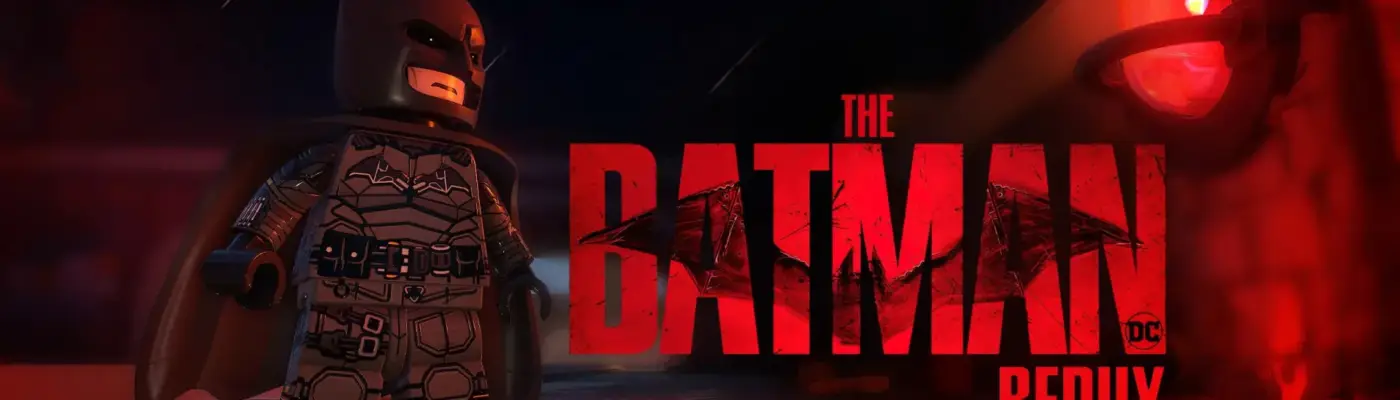
Lego Batman: Legacy of the Dark Knight
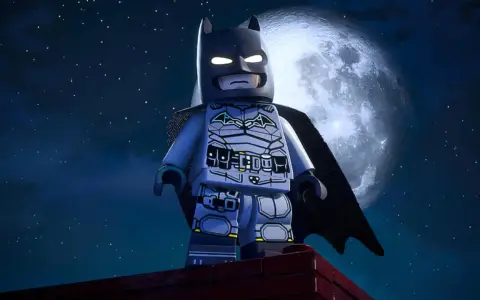
The Batman Redux – Prime and Default Suit Retexture
Admin Approved Trusted Uploader
Files
Main File - Version v1.0 Latest
Jul 10, 2026 4 MB
Changelog:
Initial release
Description
The Batman Redux – Prime and Default Suit Retexture
Created by CaptainJack
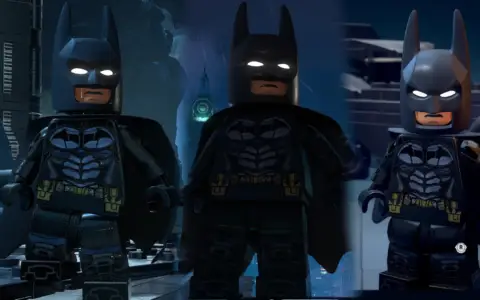
This mod delivers an overhauled, highly detailed retexture of The Batman suit. While the vanilla version is great, it misses out on many of the movie-accurate nuances. This overhaul reworks the chest emblem, color palette, belts, and boots, while adding custom details to the arms (pauldrons, gauntlets, tabs, armor plates) and legs (extra belts, a holster, and side stitching).
Update History
Update 2: Enhances all three suits with improved normal maps, updated arm/gauntlet details, and adjusted metallic/silver elements. It also introduces custom menu icons and optimizes compatibility with the red-brick Color Tint feature. (Likely the final update).
Update 1: Added a third replacement option (Dawn of Justice suit) and isolated the Eye Glint Mod as an optional, stylized alternative to the game’s default white eyes.
Suit Replacement Options
You can choose to replace one of three slots:
Batman Prime: The primary focus of this mod. It features a rubber cape that fits the Pattinson aesthetic perfectly, and its eye textures can be modified with minimal impact on other suits. Unlocks at Batmite’s store. (Uses Eye Glint Mod 01).
Default “The Batman”: Replaces the standard vanilla skin and retains the fabric cape. (Uses Eye Glint Mod 02).
Dawn of Justice: Features a fabric cape and an open-chin cowl style. (Uses Eye Glint Mod 03).
⚠️ Eye Glint Mod Quirks:
Mod 01: This texture is shared with main menu models and certain cutscenes. Installing it will change Batman’s eyes in the menu regardless of your active in-game skin.
Mod 02: This file causes the Batman Ninja skin’s eyes to go completely dark. To fix this, simply delete the
zzEYEGLINT_02_Pfiles.
Installation Instructions
Navigate to your game directory and drop the mod files into the following folder: Legacy of the Dark Knight\LEGOBatmanLotDK\Content\Paks\~mods
Note: If the ~mods folder does not exist, simply create one yourself.
Credits: A big thank you to the creators of FModel for making file access possible, and to TT Games and Warner Bros. for an awesome Batman experience!
Rate This Mod
—
0 ratings
★★★★★
Login to rate this mod.

ScriptSavvy
Trusted Modder
42 mods · 734 total downloads
Related Mods
Lego Batman: Legacy of the Dark Knight  Lego Batman: Legacy of the Dark Knight
  Lego Batman: Legacy of the Dark Knight
  Lego Batman: Legacy of the Dark Knight