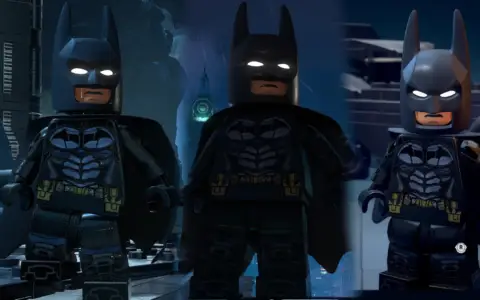
 Lego Batman: Legacy of the Dark Knight
Files
Main File - Version v1.0 Latest
Jul 10, 2026 8 KB
Changelog:
Initial release
Description
Ultimate Engine Tweaks
Optimized Engine.ini Overhaul for Performance, Stability, and Clarity
Built on over a year of iterative testing across more than 50 Unreal Engine 5 titles, this definitive, custom Engine.ini profile is finely tuned for LEGO Batman: Legacy of the Dark Knight.
The primary goal of this tweak is to maximize system optimization (CPU, GPU, RAM, and SSD) to eliminate micro-stutters, boost frame rates, minimize input lag, and drastically improve image sharpness. It optimizes Film Grain, Motion Blur, DLSS/FSR upscaling, and Anti-Aliasing while completely removing distracting Chromatic Aberration, ghosting, and shimmering—all with zero loss in visual quality and zero risk of crashes.
🖥️ Choosing Your Variant: VRR vs. No VRR
Before downloading, check your system to see if you use VRR (Variable Refresh Rate), such as NVIDIA G-Sync or AMD FreeSync:
VRR Variant: Use this if VRR is fully enabled in both your GPU Control Panel (NVIDIA/AMD) and your display’s hardware settings (Monitor/TV).
No VRR Variant: Use this if your display or GPU does not support or have VRR enabled.
📂 Installation Instructions
❗ Important: Launch the game at least once and close it before installing so the default configuration folders can generate.
Press
Win + Ron your keyboard to open the Run dialog box.Copy and paste the following directory path, then hit Enter:
%localappdata%\Dinner\Saved\Config\WindowsDownload and extract the modded
Engine.inifile, then drop it into this folder (overwrite the existing file if prompted).Right-click the newly pasted
Engine.inifile and select Properties.Check the box for Read-Only, then click Apply and OK.
To Uninstall: Simply delete the modified
Engine.inifile. The game will automatically regenerate its default settings the next time it boots up.
⚠️ Compatibility & Recommendations
Mod Compatibility: DO NOT use this alongside any other “performance optimization” mods, as they will conflict. It is, however, completely safe to use with any other types of mods (suits, scripts, etc.).
Advanced PC Tuning: For even greater system-wide performance gains, check out my comprehensive guide: PC Gaming: Optimized – The Ultimate Guide (covering ideal NVIDIA/AMD Control Panel, G-Sync/FreeSync, and HDR setups).
This optimization profile is completely free! If it improved your gameplay experience and you would like to support my ongoing research and work, please consider dropping a donation.
Rate This Mod
—
0 ratings
★★★★★
Login to rate this mod.

ScriptSavvy
Trusted Modder
52 mods · 755 total downloads
Related Mods
Lego Batman: Legacy of the Dark Knight  Lego Batman: Legacy of the Dark Knight
  Lego Batman: Legacy of the Dark Knight
  Lego Batman: Legacy of the Dark Knight